Email folders and labels
Better than nothing, but a folder is still a pile of emails. You can file them neatly and still have no single view of what time you land or which night you are in which city.
A trip arrives as a dozen unrelated emails - a flight here, a hotel there, a tour from a site you forgot you used. Here is how to pull them into a single, reliable plan, and the fastest way to do it without copying a single time by hand.
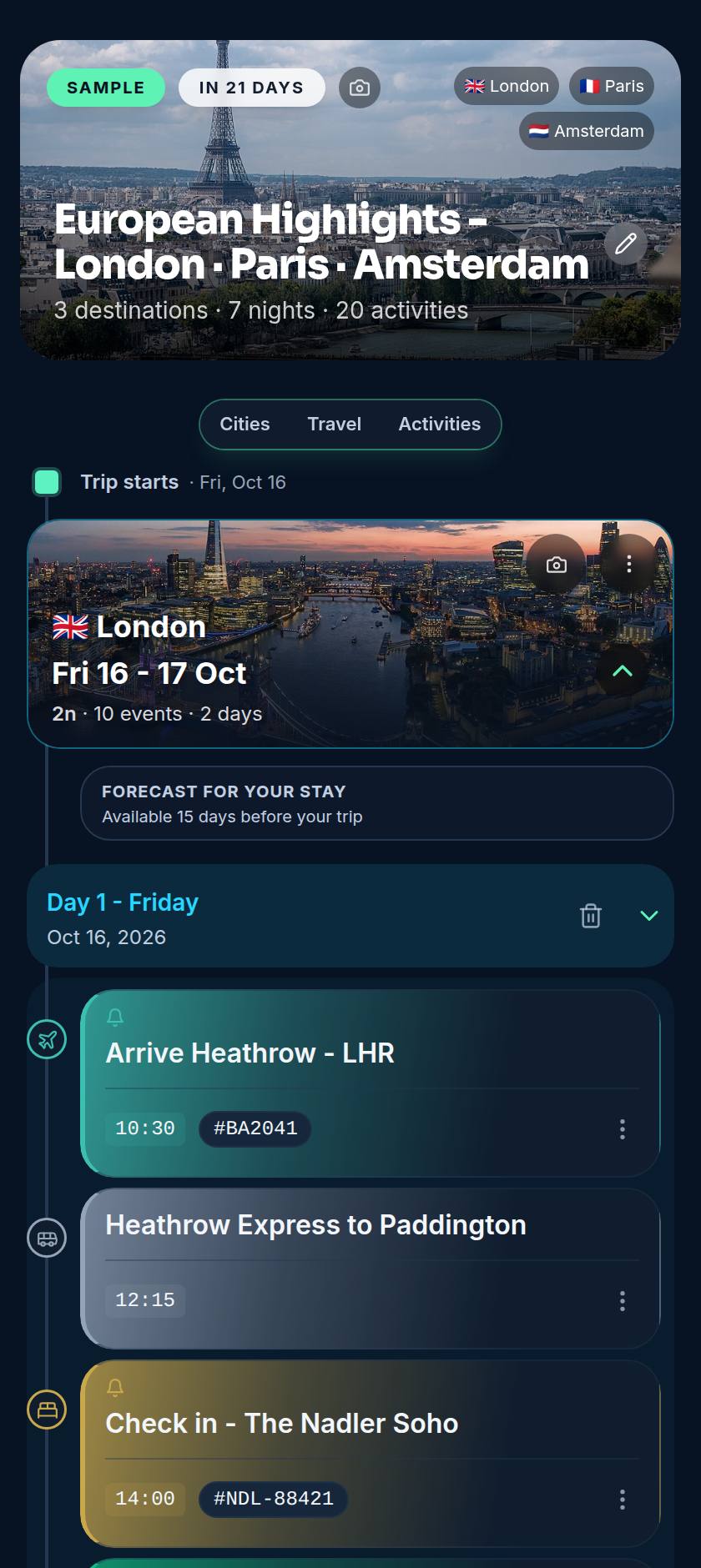
Booking a trip feels productive. You lock in the flights, find a good hotel, grab a tour, sort the airport transfer - and each step sends a confirmation email that lands in the inbox and is immediately buried.
The trouble shows up later: you search "flight" the night before you fly and squint at the right one of three trips, then search again at the destination for the hotel address on one bar of roaming signal. None of these emails know about each other, so nothing warns you that your tour starts an hour after you land, or that you have no transfer to the hotel. Organising confirmations is really about turning those isolated emails into one plan that knows the whole shape of the trip.
Most people reach for one of these. They all help a little, and they all leave the real work to you.
Better than nothing, but a folder is still a pile of emails. You can file them neatly and still have no single view of what time you land or which night you are in which city.
Flexible and free, but every row is typed by hand. One mistyped time or time zone and the whole plan is quietly wrong, and nobody updates the sheet once the trip starts.
Fast to capture, impossible to search. The screenshot you need is buried between a thousand holiday photos exactly when you are standing at the check-in desk.
The fastest way to organise confirmations is to stop organising them yourself. Instead of filing each email, you forward it to one address the moment it arrives, and something on the other end reads it and files it for you.
With Voyaij that address is import@myvoyaij.com. Forward a flight and it appears on your timeline with the airline, flight number, times and terminal; forward the hotel and it slots in with the right check-in and check-out, in the right city. Car hire lands the same way, and tours do too on Starter and Pro. You are not connecting your inbox to anything - you choose exactly what to send, and nothing else in your mailbox is ever seen.
If you would rather not forward, you can upload a saved confirmation file instead. Either way, the copying-by-hand step disappears.
Every flight, stay, tour and transfer on a single day-by-day view - not scattered across apps.
When a booking moves, the plan updates and tight connections get flagged before they bite.
Your itinerary loads on the plane and in the taxi with no signal, because it is cached on your device.
Travel partners see the same plan and the same confirmation numbers, kept in sync automatically.
With the logistics handled, the fun part is the free time. Here are popular tours and activities you can book ahead - powered by GetYourGuide.
Forward your confirmations to import@myvoyaij.com and Voyaij builds the day-by-day plan - flights, stays, tours and transfers, in the right order, in the right city. Free plan, no credit card, no inbox access.
In the inbox. A confirmation arrives, gets read once, then slides under the next fifty emails. By the time you need the flight time or the hotel address you are searching across three airlines, a booking site and a tour operator, each with a different subject line. Pulling them into one place the moment they arrive is what fixes it.
A printed backup of your passport, insurance and key bookings is sensible for the worst case, but paper is not how you stay organised day to day. You want one timeline you can check on your phone, that updates when a booking changes, and that works even when you are offline. Print as a fallback, not as the system.
Forward each confirmation to one address as it arrives. Voyaij reads it at import@myvoyaij.com and files the flight, hotel or car hire (and tours on Starter and Pro) onto the right day of the right trip. You never copy a time or an address by hand, and you never connect your inbox to the app.
Not automatically, and deliberately so - Voyaij never connects to or scans your inbox. What it does is read whatever you choose to forward: send a confirmation to import@myvoyaij.com and the AI extracts the flight, hotel or car-hire details (and tours on Starter and Pro) and slots them into your itinerary in seconds. You get the effect of an agent that finds your booking, without giving any app standing access to your email.
Add them as trip partners. Everyone sees the same itinerary and the same confirmation numbers, so there is no forwarding the same email five times. If a flight time changes, it changes for the whole group at once.
Forward the updated confirmation. Voyaij matches it to the existing booking and updates the timeline in place rather than leaving you with two versions to reconcile. The old, stale copy does not linger in a notes app or a chat thread.